Building a Passwordless E-Commerce Demo with FastStripe and FastHTML
Intro
A while ago I came across FastStripe, a Python library by Answer.ai that simplifies Stripe integration. After reading their blog post and studying the FastHTML e-commerce example, I wanted to try it out and build something practical. The official example uses Google OAuth for authentication. This demo takes a different approach - passwordless magic links with user accounts created only upon purchase. No passwords to store, no password reset flows to build.
Live demo: fast-stripe-demo.pla.sh (Stripe sandbox mode - no real charges. Use test card 4242 4242 4242 4242, any future expiry, any CVC, and a valid email for the magic login link.)
The full code is on GitHub: fast_stripe_demo
Note: The code snippets below are simplified pseudo code for clarity - error handling, UI components, and some details are omitted. See the GitHub repo for the complete working implementation.
The Stack
How It Works
The flow is pretty simple:
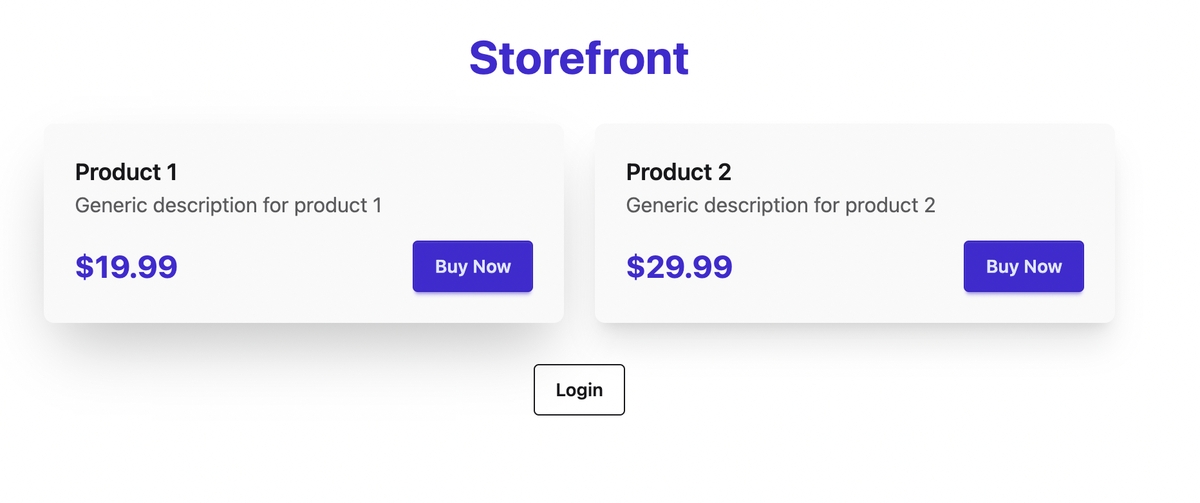
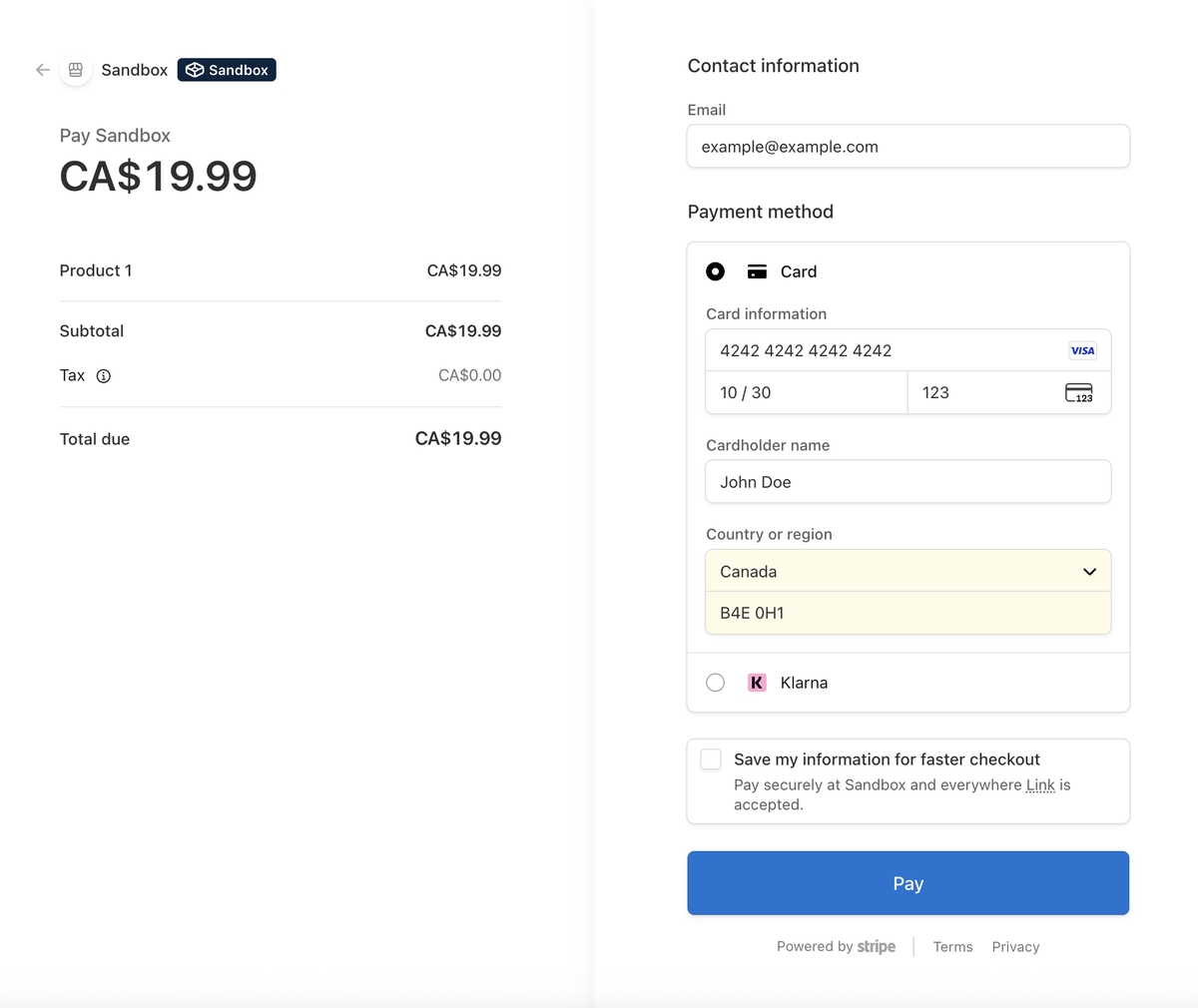
- Guest clicks "Buy Now" → redirected to Stripe Checkout
- After payment, a user record is created and a magic login link is emailed
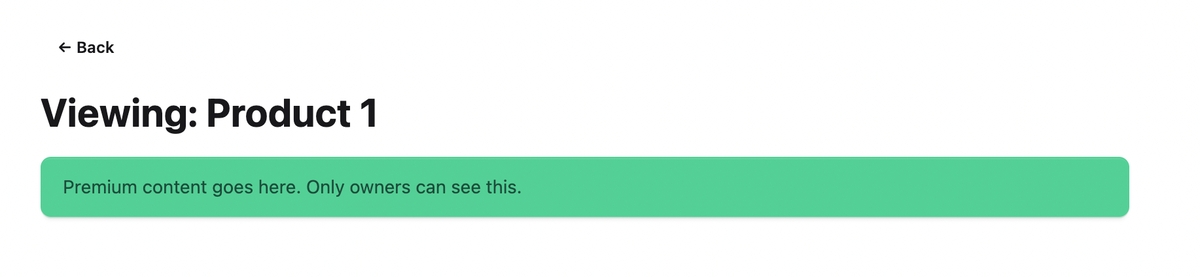
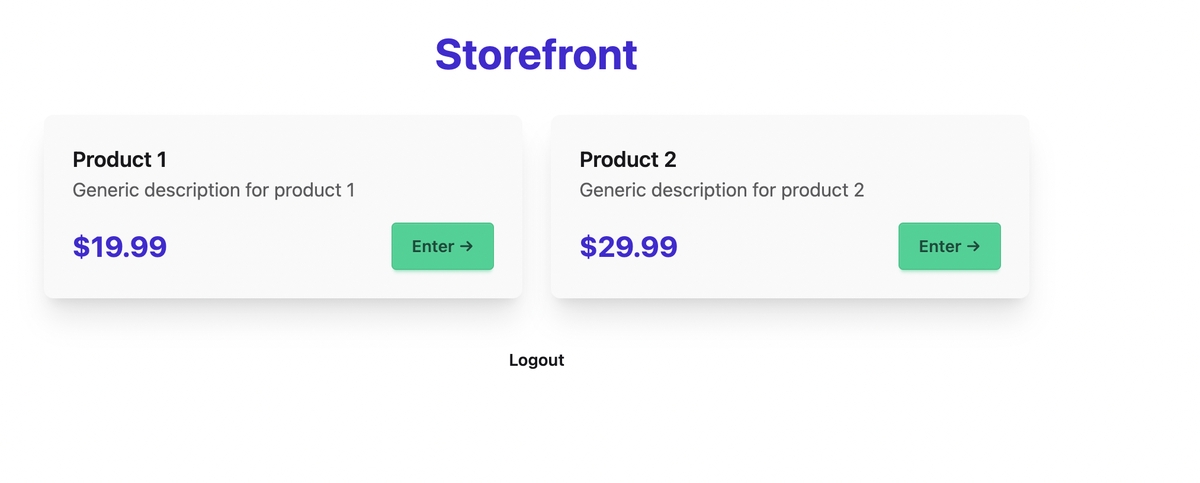
- User is auto-logged in immediately and can access purchased content
- Future logins via magic link (no passwords)
Here's what that looks like visually:
Storefront (guest view):
Stripe Checkout:
Premium content (after purchase):
Storefront (owner view):
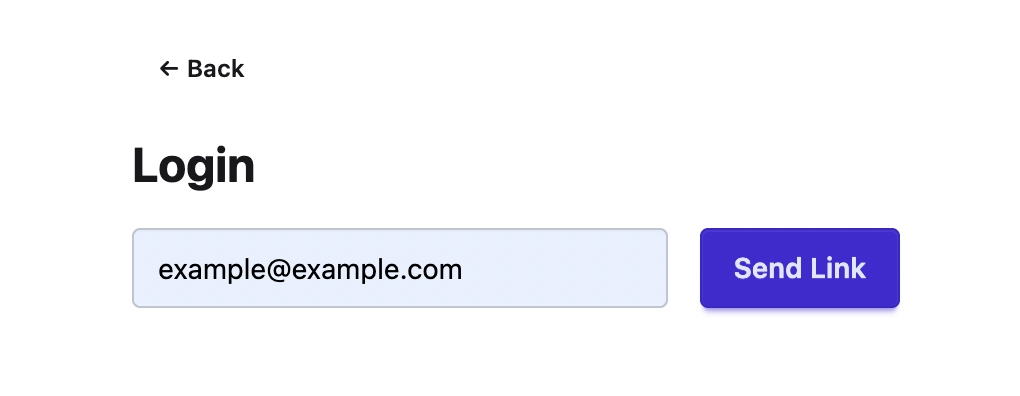
Login screen:
Magic link email:

The Database
I'm using SQLite via FastLite. Three tables:
db = database(DB_NAME)
users, links, buys = db.t.users, db.t.magic_links, db.t.purchases

if users not in db.t:
    users.create(id=int, email=str, pk="id")
    users.create_index(["email"], unique=True)
if links not in db.t:
    links.create(id=int, email=str, token=str, expires=str, used=bool, pk="id")
if buys not in db.t:
    buys.create(id=int, user_id=int, prod_id=str, sess_id=str, amt=int, pk="id")
- users: Created only when someone makes a purchase (no separate sign-up flow)
- magic_links: Tokens for passwordless login, expire after 24 hours, single-use
- purchases: Links users to products. The
sess_idis Stripe's checkout session ID - this becomes important later.
Authentication with Beforeware
FastHTML has a concept called "beforeware" - middleware that runs before every request. I use it to pull the user_id from the session cookie and attach it to the request:
def before(req, sess):
    req.scope["user_id"] = sess.get("user_id")

beforeware = Beforeware(before, skip=[
    r"/favicon\.ico", r"/static/.*", r".*\.css", r".*\.js",
    "/webhook",        # Webhooks can't have sessions
    "/login/.*",       # Login links must work without auth
    "/request-login"   # Login form must be accessible
])

app, rt = fast_app(
    before=beforeware,
    secret_key=os.getenv("FAST_APP_SECRET"),  # Encrypts session cookie
    max_age=365*24*3600,                       # Cookie lasts 1 year
    ...
)
The secret_key cryptographically signs the cookie so users can't tamper with it. The skip patterns let certain routes bypass the middleware - webhooks don't have session cookies, and login pages need to be accessible to logged-out users.
Creating a Stripe Checkout Session
This is where FastStripe shines. Creating a checkout session is just one function call:
sapi = StripeApi(os.getenv("STRIPE_SECRET_KEY"))

@rt("/buy/{pid}")
def buy(pid: str, req):
    uid = req.scope.get("user_id")
    email = next((u["email"] for u in users.rows_where("id = ?", [uid])), None) if uid else None

    p = PRODUCTS[pid]
    kwargs = {"customer_email": email} if email else {}
    chk = sapi.one_time_payment(
        p["name"],
        p["price"],
        f"{BASE_URL}/view/{pid}?session_id={{CHECKOUT_SESSION_ID}}",
        f"{BASE_URL}/",
        currency="cad",
        metadata={"pid": pid},
        **kwargs,
    )
    return RedirectResponse(chk.url)
A few things to note:
- Prices are in cents (1999 = $19.99). This is Stripe's convention to avoid floating-point issues.
- metadata stores the product ID so we can retrieve it later in the webhook.
- Pre-filling email: If the user is logged in (made a previous purchase) we pass their email via
customer_emailso Stripe pre-fills the email address in the checkout form. - The double braces
{{CHECKOUT_SESSION_ID}}become{CHECKOUT_SESSION_ID}after the f-string, which Stripe then replaces with the actual session ID when redirecting.
Note: FastStripe simplifies creating checkout sessions, but for retrieving sessions and handling webhooks we use the standard stripe SDK directly.
Stripe sees:  "http://localhost:5001/view/p1?session_id={CHECKOUT_SESSION_ID}"
                                                        ↑ literal placeholder

After payment: "http://localhost:5001/view/p1?session_id=cs_test_a1b2c3..."
                                                         ↑ actual session ID
The Race Condition Problem
After a successful payment, two things happen simultaneously:
- The user's browser is redirected to your success URL
- Stripe sends a webhook POST to
/webhook
The redirect usually arrives before the webhook. This creates a race condition - which one should create the user record and record the purchase?
The answer: both. But we need to make it idempotent.
The Redirect Handler
@rt("/view/{pid}")
def view(pid: str, req, sess, session_id: str = None):
    uid = req.scope.get("user_id")

    # Auto-login if returning from Stripe (not logged in, but has session_id)
    if not uid and session_id:
        s = stripe.checkout.Session.retrieve(session_id)

        if s.payment_status == "paid" and s.metadata.get("pid") == pid:
            email = s.customer_details.email

            # Get or create user
            u = next(users.rows_where("email = ?", [email]), None) or users.insert(email=email)

            # Record purchase IF not already recorded
            if not next(buys.rows_where("sess_id = ?", [s.id]), None):
                buys.insert(user_id=u["id"], prod_id=pid, sess_id=s.id, amt=s.amount_total)

            # Log the user in immediately
            sess["user_id"] = u["id"]
            uid = u["id"]
This does several things:
- Retrieves the checkout session from Stripe
- Verifies payment succeeded and product matches (security check)
- Creates user if they don't exist
- Records purchase only if
sess_iddoesn't already exist - Sets the session cookie - user is logged in immediately
The Webhook Handler
@rt("/webhook", methods=["POST"])
async def stripe_webhook(req):
    ev = stripe.Webhook.construct_event(
        await req.body(),
        req.headers.get("stripe-signature"),
        os.getenv("STRIPE_WEBHOOK_SECRET")
    )

    if ev.type == "checkout.session.completed":
        s = ev.data.object

        # Record purchase IF not already recorded
        if not next(buys.rows_where("sess_id = ?", [s.id]), None):
            u = next(users.rows_where("email = ?", [s.customer_details.email]), None) or users.insert(email=s.customer_details.email)
            buys.insert(user_id=u["id"], prod_id=s.metadata.pid, sess_id=s.id, amt=s.amount_total)

            # Send magic link for future logins
            token = secrets.token_urlsafe(32)
            links.insert(email=s.customer_details.email, token=token,
                        expires=(datetime.now() + timedelta(days=1)).isoformat(), used=False)
            send_login_email(s.customer_details.email, token)

    return Response(status_code=200)
The webhook does the same user creation and purchase recording, but also sends the magic link email for future logins.
The Idempotency Check
Both handlers use the same pattern:
if not next(buys.rows_where("sess_id = ?", [s.id]), None):
    buys.insert(...)
The Stripe checkout session ID (sess_id) is unique per purchase. By checking if it already exists before inserting, we ensure the purchase is only recorded once - regardless of which handler runs first, or if Stripe retries the webhook.
Redirect handler:
- Creates user: Yes
- Records purchase: Yes
- Logs in: Yes
- Sends email: No
Webhook handler:
- Creates user: Yes
- Records purchase: Yes
- Logs in: No
- Sends email: Yes
The redirect gives immediate access. The webhook ensures reliability and sends the email.
Magic Link Authentication
For returning users, we need a way to log in without passwords. Magic links are simple:
- User enters email
- If email exists in DB, generate a random token and email a login link
- User clicks link, we validate the token, set the session cookie
@rt("/request-login", methods=["GET", "POST"])
def request_login(email: str = None):
    if email and next(users.rows_where("email = ?", [email]), None):
        tok = secrets.token_urlsafe(32)
        links.insert(email=email, token=tok,
                    expires=(datetime.now() + timedelta(days=1)).isoformat(), used=False)
        send_login_email(email, tok)
    # ... render form
@rt("/login/{token}")
def magic_login(token: str, sess):
    link = next(links.rows_where("token = ? AND used = 0", [token]), None)

    if not link or datetime.now() > datetime.fromisoformat(link["expires"]):
        return "Link Expired"

    links.update({"id": link["id"], "used": True})  # Mark as used
    u = next(users.rows_where("email = ?", [link["email"]]))
    sess["user_id"] = u["id"]
    return RedirectResponse("/")
Security features:
- Token is 32 bytes of cryptographically random data
- Expires after 24 hours
- Single use (marked
used=Trueafter login)
TODO: The /request-login endpoint should have rate limiting to prevent email spam abuse.
Notice that /request-login only sends links if the email exists. This is intentional - it's a purchase-gated system. You can't "sign up" without buying something.
Local Development Setup
Here's how to get this running locally (see the README for full details):
-
Stripe account: Get your Secret key from Stripe Dashboard
-
Install Stripe CLI and forward webhooks:
brew install stripe/stripe-cli/stripe
stripe login
stripe listen --forward-to localhost:5001/webhook
The CLI outputs a webhook signing secret (
whsec_...). -
Environment variables in
.env:STRIPE_SECRET_KEY=sk_test_... STRIPE_WEBHOOK_SECRET=whsec_... FAST_APP_SECRET=<random-string>
-
Run the app:
uv sync
uv run python main.py
For email, you can skip Resend setup initially and just print the login URLs:
def send_login_email(to, token):
    print(f"Login link for {to}: {BASE_URL}/login/{token}")
Deployment
I deployed to Plash, which is dead simple for FastHTML apps. The main gotcha is that you need to create a webhook endpoint in the Stripe dashboard (instead of using the CLI) and use that signing secret.