A POC: Using Modal for Backend Development, CI, and Coding Agents
Rocking my @modal hat on the east coast of Canada. — Original X post
Intro
Local development and CI often involve Docker Compose, GitHub Actions, Helm, Terraform, GitOps, and lots of YAML. I love Modal as an alternative because it lets you build and run complicated environments using mostly Python, without having to manage a bunch of infrastructure layers yourself.
In this post, I explore all of these ideas through a vibe-coded proof of concept that runs a complete development and test environment on Modal.
Modal Functions, Sandboxes, VMs, and Sidecars
Point your agent at Modal's llms.txt or read the docs to see what you can build with. A few primitives are worth calling out:
- A Modal Function is the serverless function interface. You call a Python function and Modal handles running and scaling it.
- A Modal Sandbox is more like a remote process or container. You can run multiple commands, access the filesystem, attach a terminal, and control its lifetime.
- Standard Modal Sandboxes run on gVisor.
- A VM Sandbox gives you a real Linux kernel.
- V2 Sandboxes use Modal's next-generation Sandbox backend (beta as of writing).
- Sandbox Sidecars are extra containers running beside the main Sandbox container. As of writing, they are in alpha and their SDK interface is experimental.
Sidecars Instead of Docker Compose
Modal Sandbox Sidecars let you run services beside the main container over an internal bridge network. Each service runs as a separate process with its own Image, but the containers share the Sandbox's CPU and memory allocation.
The POC
This is a vibe-coded proof of concept built to show off some interesting Modal features.
The full code is here.
This POC uses a standard gVisor Sandbox with Modal Sidecars. It does not use a VM, a Docker daemon, or Docker-in-Docker. Modal also supports running Docker inside a VM Sandbox. That may be easier if you already have a large Docker Compose setup and want a conventional Docker host; I have built POCs with those primitives too. VM Sandboxes are currently in beta and cannot be combined with Sidecars. Here, I wanted to see how far I could get with a gVisor Sandbox and Sidecars. Converting an existing Docker Compose workflow to this setup was straightforward.
The app has:
- a FastAPI API
- PostgreSQL
- Redis
- OpenSearch
- real Hugging Face inference
- tests
- Ruff for linting
- a remote development shell
- interactive and one-shot Codex agent modes
                            Local command
                                  │
                                  ▼
                              Modal runner
                                  │
                                  ▼
                    ┌─────────────────────────────┐
                    │      Main Modal Sandbox     │
                    │                             │
                    │  FastAPI application        │
                    │  pytest-xdist               │
                    │  Ruff                       │
                    │  Hugging Face inference     │
                    │  shell or Codex             │
                    │                             │
                    │  /models -> Modal Volume    │
                    └──────────────┬──────────────┘
                                   │
                         private bridge network
                                   │
               ┌───────────────────┼───────────────────┐
               │                   │                   │
         ┌─────▼──────┐      ┌─────▼─────┐      ┌──────▼───────┐
         │ PostgreSQL │      │   Redis   │      │  OpenSearch  │
         │  Sidecar   │      │  Sidecar  │      │   Sidecar    │
         └────────────┘      └───────────┘      └──────────────┘
The repository has two main pieces.
The first is the fake/dummy multimodal app. It accepts text, images, and audio. It runs real inference, caches results in Redis, stores records in PostgreSQL, and indexes data in OpenSearch.
The second is the Modal runner. It builds the Images and creates the environments used for testing, serving the API, opening a shell, or launching an agent.
The dummy app itself does not know about Modal. It receives normal service URLs such as postgresql://...@postgres:5432/... and redis://redis:6379/0. You could take the app code and run it somewhere else. All of the Modal-specific code is kept in the runner.
Running the Stack
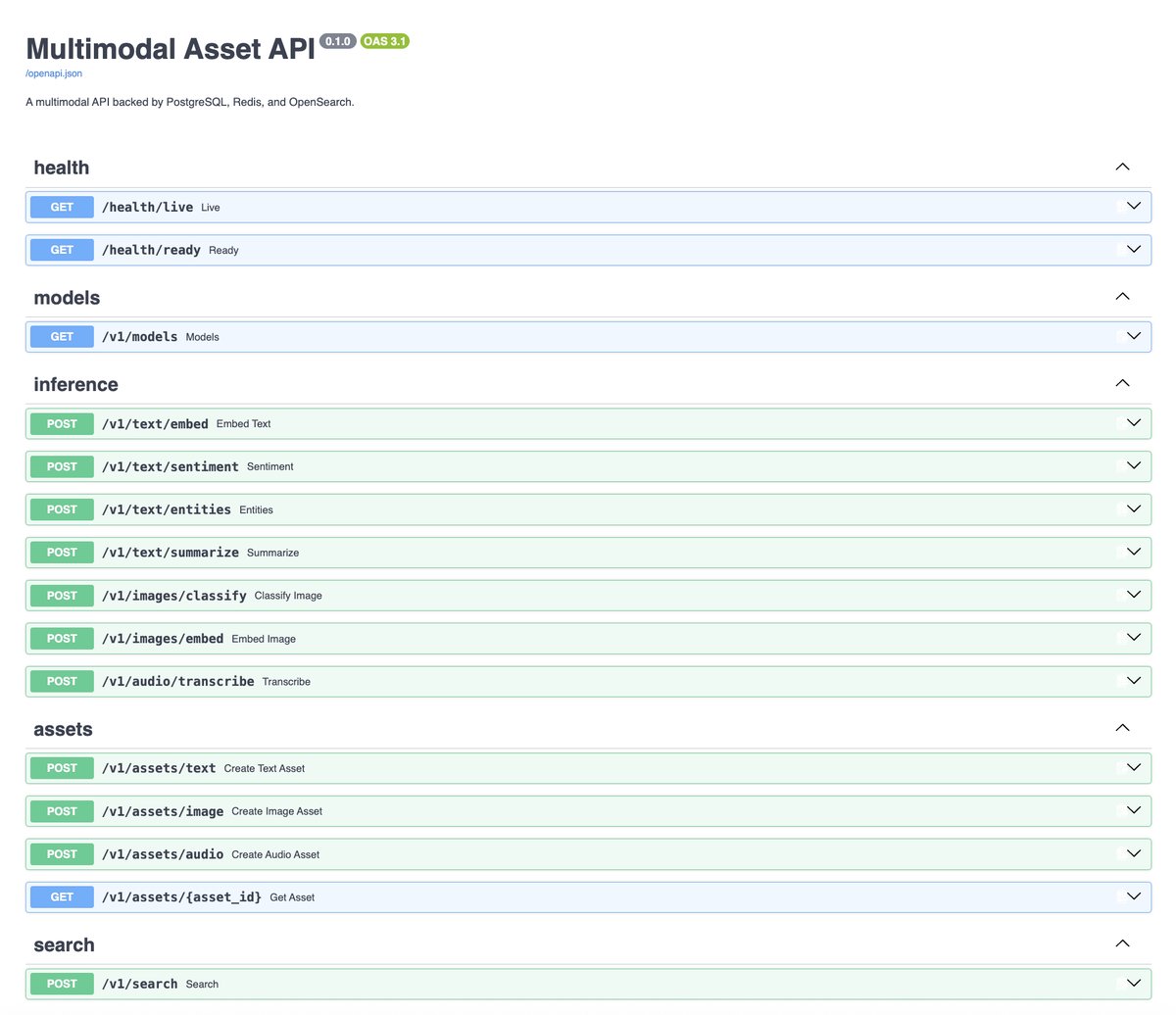
Running the App
uv run modal-native-test-stack-poc api
It prints a temporary HTTPS tunnel URL such as <url>. While the command is running, visit <url>/docs to explore the FastAPI API. Exiting the attached shell terminates the Sandbox and Sidecars.
Running CI (Tests and Lint)
Another command creates the same stack, runs pytest and Ruff, downloads the artifacts, then terminates the Sandbox and its Sidecars.
uv run modal-native-test-stack-poc test
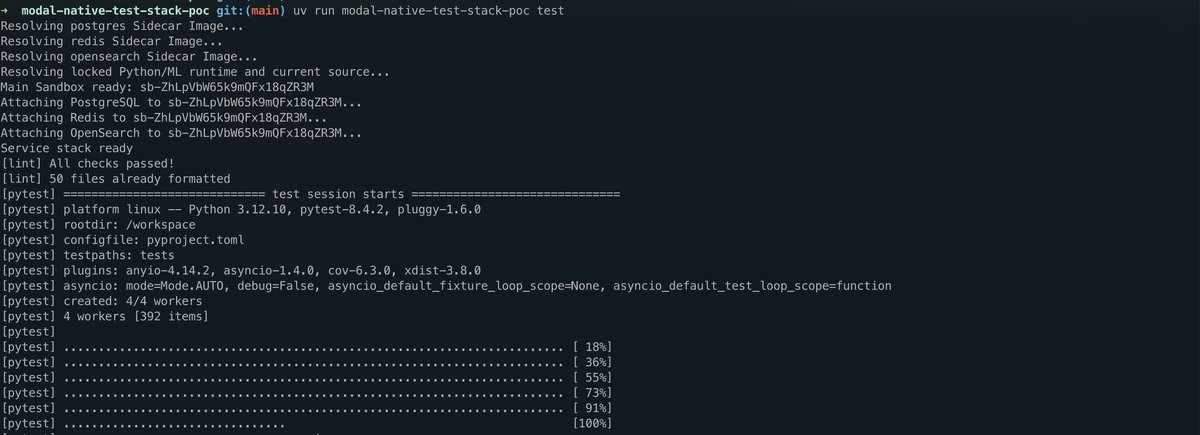

In my runs, the whole thing is pretty quick once the Images are built and cached. Creating the main Sandbox takes around 2–3 seconds, while waiting for PostgreSQL, Redis, and OpenSearch takes around 10–17 seconds. The complete run, including the tests, takes about a minute.
Interactive Shells
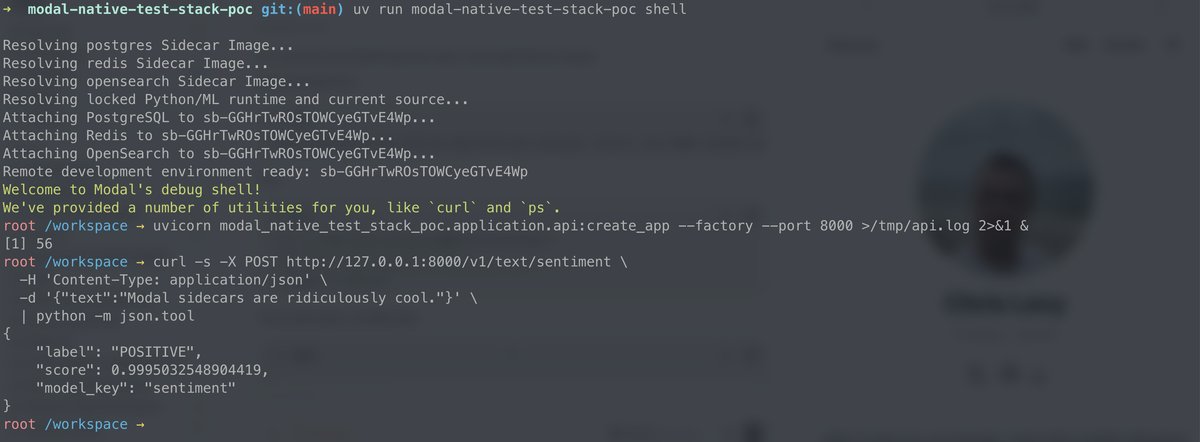
uv run modal-native-test-stack-poc shell
The shell includes the source and Python environment, mounts the model Volume, and connects to PostgreSQL, Redis, and OpenSearch. It's all running remotely.
Agent Mode
The same environment can also run Codex. First, create a Modal Secret containing your OpenAI API key:
uv run modal secret create openai-secret OPENAI_API_KEY="$OPENAI_API_KEY"
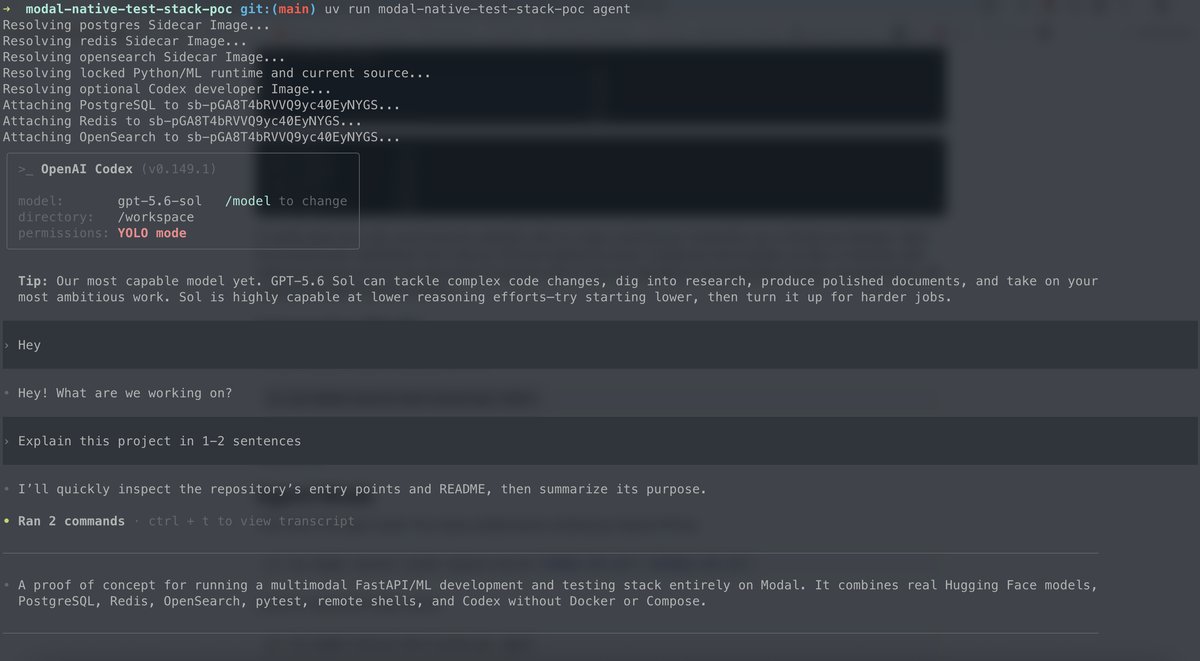
Launch an interactive Codex session:
uv run modal-native-test-stack-poc agent
Or run one prompt and exit:
uv run modal-native-test-stack-poc agent --prompt "What are the slowest running tests?"
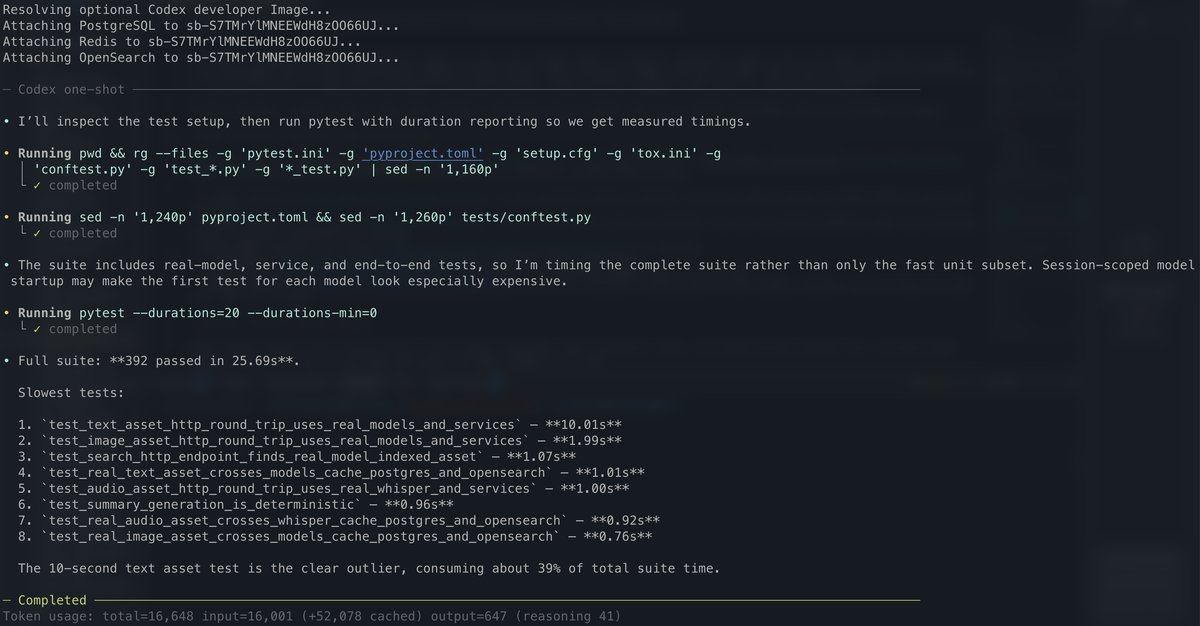
The agent gets the same prepared environment as the tests.
Trying It
Clone the repository, install the local CLI dependency, and authenticate with Modal:
uv sync --frozen
uv run modal setup
Build the Images and populate the model Volume:
uv run modal-native-test-stack-poc build
uv run modal-native-test-stack-poc seed
Run CI:
uv run modal-native-test-stack-poc test
There are also commands to inspect and clean up resources owned by the POC:
uv run modal-native-test-stack-poc status
uv run modal-native-test-stack-poc cleanup
uv run modal-native-test-stack-poc delete-models --yes
The Sandboxes and Sidecars normally terminate when each command exits.
Conclusion
From one local command I can create the whole stack, run all the tests against real models and real services, download the artifacts, and throw the environment away. I can also open the same environment as a shell, serve the API, or give it to Codex. Modal continues to add great features that can be used for all sorts of use cases.