Fine tuning Liquid decision models with images
I started this after seeing Leonie's post about fine-tuning Liquid decision models. Her cookbook example uses text. I wanted to try fine-tuning one of these models with images and text as input, using Modal.
The first run used d1-3B. Before I finished writing, Liquid released LFM3, including d1-2B. So I added training scripts for both models and compared them on the same dataset.
The task
Give the model a screenshot, a task, a set of candidate page elements, and then ask it to choose one.
I used the Multimodal-Mind2Web dataset, which contains website screenshots, tasks, past actions, and candidate page elements. The target is the next element to interact with.
For example, the task here is to find a staffed FedEx location near ZIP code 10019. The ZIP code has already been entered. The correct next element is the More Filters button.
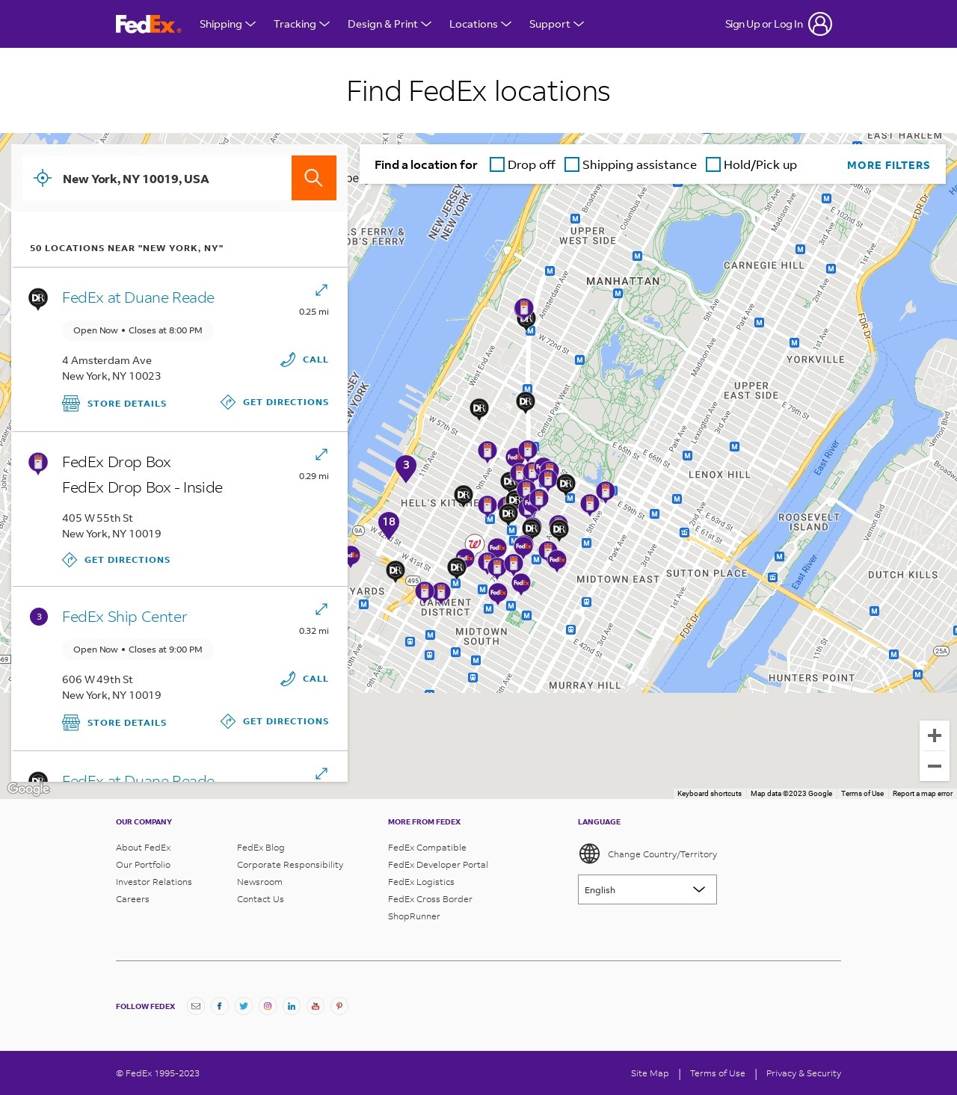
I put a normalized dataset on Hugging Face. Each record has:
images: the screenshot, loaded as a PIL image.state: the task, past actions, and original screenshot dimensions.question: instructions and candidate elements, including their bounding boxes.label: the correct candidate's key.
The images are included in the dataset. The format supports multiple images, although these examples use one.
Training
Clone the repo and set up Modal:
git clone https://github.com/DrChrisLevy/finetune-liquid-image-decisions.git
cd finetune-liquid-image-decisions
uv sync
uv run modal setup
Start with a small run: 16 training examples, 4 validation examples, and 4 training steps.
uv run modal run --detach src/decision_model/liquid_d1_2b_image_finetune.py
For a full run, use either script with --mode full:
uv run modal run --detach src/decision_model/liquid_d1_3b_image_finetune.py --mode full
uv run modal run --detach src/decision_model/liquid_d1_2b_image_finetune.py --mode full
Each model gets one pass through 4,574 training examples. Both scripts train LoRA adapters with rank 16 and a learning rate of 2e-4, keeping the vision encoder frozen. TRL handles image batching and masks the input tokens so the loss is calculated on the answer.
The scripts read the same dataset format. They use Liquid's model-specific prompt code; the 2B script also uses its state-attention helper during training.
The dataset cache and saved models live in the liquid-d1-training Modal Volume. Each run saves the adapter and a merged model that can be loaded directly for inference.
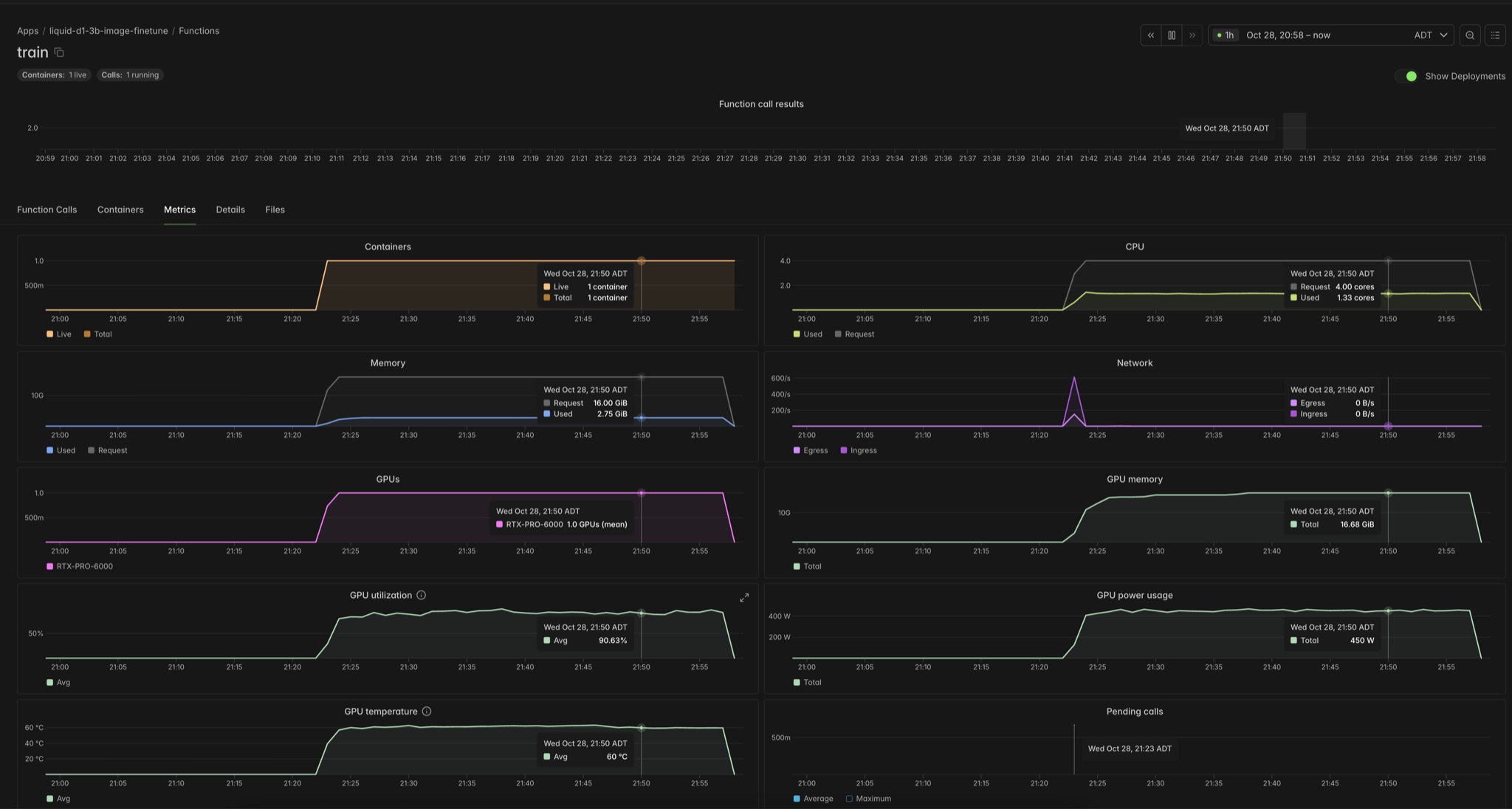
Training metrics in Modal for d1-3B:
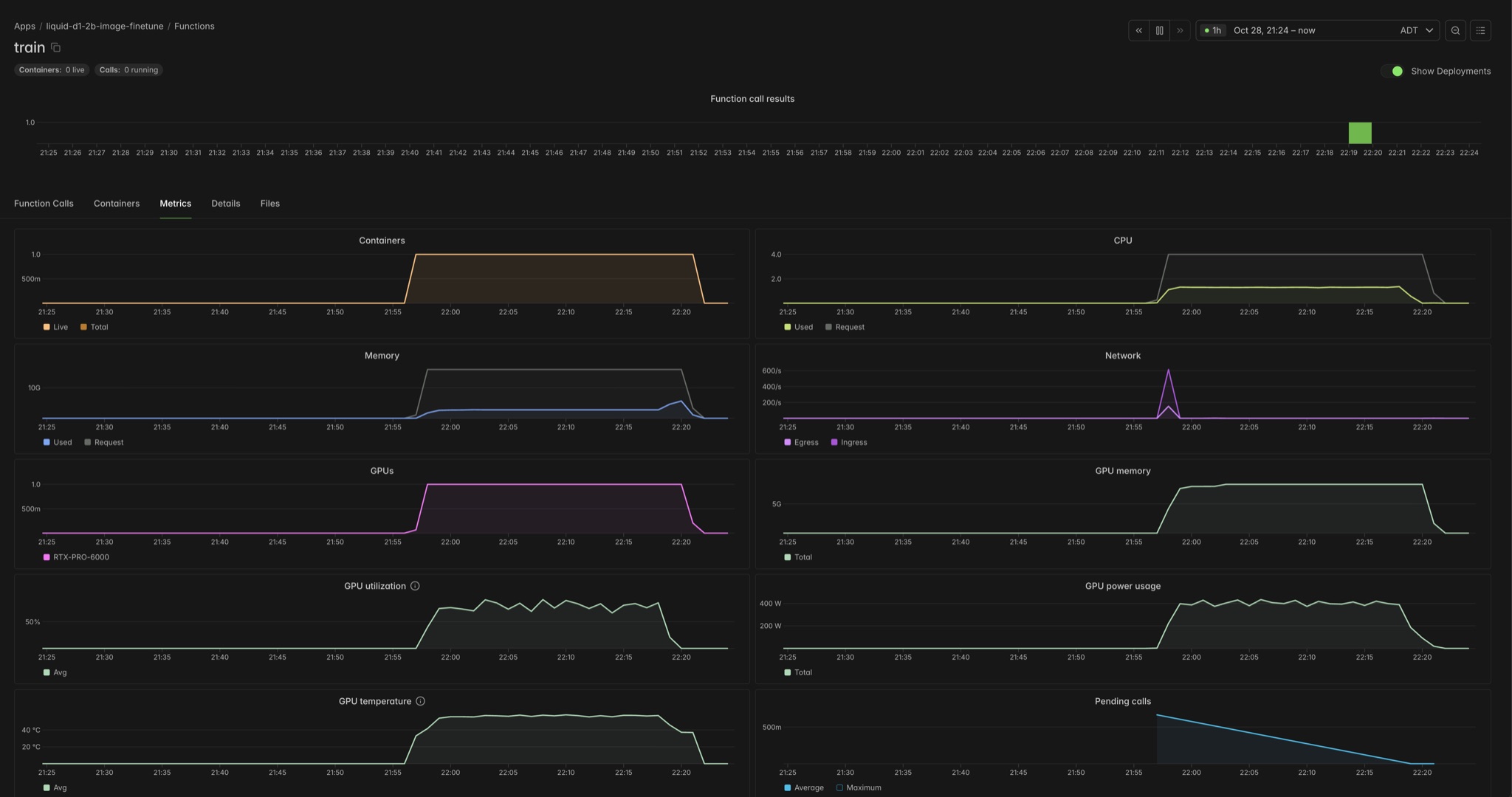
And d1-2B:
Evaluation
The evaluation script asks the model to choose an element for each test example, then compares that choice with the label.
Evaluate the base models:
uv run modal run --detach src/decision_model/evaluate.py --model 3b
uv run modal run --detach src/decision_model/evaluate.py --model 2b
Then evaluate a saved model using the run_id printed after training:
uv run modal run --detach src/decision_model/evaluate.py --run-id <run_id>
These runs use all 4,157 examples across the three test splits. Accuracy means choosing the correct candidate element for a single step.
| Model | Before fine-tuning | After fine-tuning | Training time |
|---|---|---|---|
| d1-3B | 44.21% | 91.34% | ~44 min |
| d1-2B | 51.12% | 95.93% | ~20 min |
Training used one RTX PRO 6000 per model. Times exclude setup and evaluation.
Serving
The inference script serves either fine-tuned model with PyTorch and FastAPI on an RTX PRO 6000. It loads runs/<run_id>/merged/ from the Modal Volume when the container starts and keeps the model loaded between requests. The container scales down after five idle minutes.
Set the training run you want to serve, then deploy:
export MODEL_RUN_ID="your-training-run-id"
uv run modal deploy src/decision_model/inference.py
To serve both models at once, set MODEL_RUN_ID for each model and add a different --name to each deploy command, such as --name liquid-d1-2b-inference and --name liquid-d1-3b-inference. Each deployment gets its own endpoint. Reusing a name updates the existing deployment.
Send a POST request to /v1/systemone with state, questions, and images. Images are base64 data URLs; questions maps a name such as next_element to a choice question. The response contains the chosen option and its probabilities.
Save this as payload.json, replacing <base64-encoded screenshot> with your PNG image encoded as base64:
{
  "state": {"task_and_past_actions": "Search for flights from Halifax to Toronto."},
  "questions": {
    "next_element": {
      "type": "choice",
      "instructions": "Which element should the user interact with next?",
      "criteria": {
        "flights": "Flights tab at the top of the page",
        "hotels": "Hotels tab beside the Flights tab",
        "help": "Help link in the footer"
      }
    }
  },
  "images": ["data:image/png;base64,<base64-encoded screenshot>"]
}
Send it to the URL printed by Modal:
URL="https://your-deployment-url"
curl --retry 60 --retry-delay 1 --retry-max-time 180 --fail-with-body \
  "$URL/v1/systemone" -H 'Content-Type: application/json' \
  --data-binary @payload.json
The retries give the model time to load after the container has scaled down. With max_concurrency=16, each container accepts up to 16 concurrent requests. Image decoding can overlap with inference, while calls to the shared model run one at a time.
Next steps for you
Want to train your own decision model with images and text? Point your coding agent at Liquid's cookbooks, this repo, and Modal's docs for agents. Ask it to prepare your dataset, fine-tune the model, and compare test accuracy before and after training.
You can adapt the scripts and dataset to your own format. My normalized Mind2Web dataset is a working example of the format these scripts expect.
Pass your dataset name to either script:
uv run modal run --detach src/decision_model/liquid_d1_2b_image_finetune.py \
  --dataset your-name/your-dataset
That trains on a small sample. Add --mode full for training on the full dataset.